Stop Asking AI for the Result. Have It Build You the Tool.
I built a search monitor that watches 20 websites, asks ChatGPT, Claude and Gemini about them every week, and opens its own pull requests. The biggest lesson came from music and video, not SEO: you can't prompt your way to the thing. You prompt your way to the tool, then you use the tool.
Kit Mobley
Islamorada, FL

I want to start with the lesson, because it took me longer to learn than anything in the code.
You can’t just ask an AI for the thing you want. Not if the thing is any good. You can ask it to build the tool that makes the thing, and then you can use that tool, with the AI working inside it, to make exactly what you had in your head.
I learned that on music and video. Then I realized I’d been doing the same thing all along with SEO. So this post covers both: the search monitor I just finished building, and the audio and video tools that taught me how to think about it.
The search monitor, in one sentence
It’s a private dashboard that watches 20 of my websites and my clients’ websites, tells me what changed and why, suggests what to fix, and, as of this week, fixes some of it itself and waits for me to say yes.
That sounds like a lot of software, and it is. But there’s no magic in it. It’s a stack of boring pieces that each do one job.
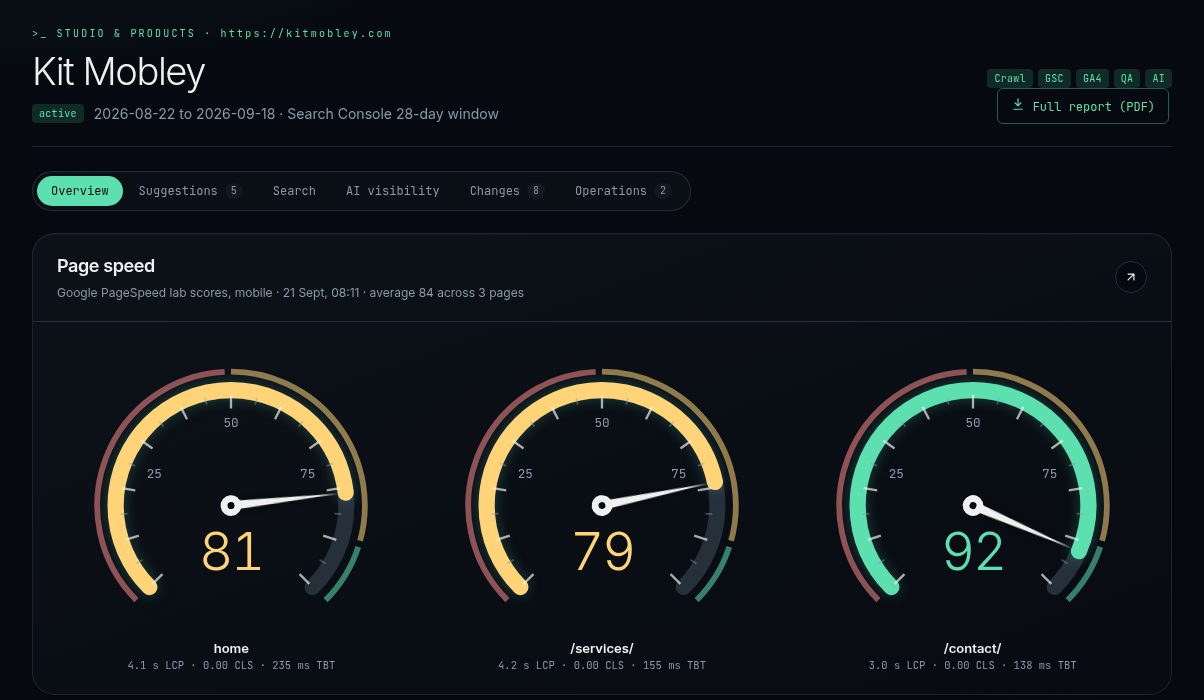
The overview for this site. The gauges are Google PageSpeed lab scores, animated like tachometers because I wanted them impossible to ignore.
What it watches
Every site gets the same treatment:
- Google Search Console. Clicks, impressions, click-through rate and average position over a rolling 28-day window, compared with the same window a year ago. Year over year matters in the Keys. Comparing September to August tells you about the season, not about your website.
- GA4 events. Not just page views. Bookings, clicks on phone numbers, purchases, and refunds. One charter client showed negative revenue in analytics, and the monitor traced it to refunds on older orders coming in through the booking system. The dashboard now shows bought and refunded side by side, so nobody panics at a red number.
- PageSpeed. Mobile lab scores for the pages that matter, with the actual load times underneath.
- A nightly crawl and a QA sweep. Broken links, affiliate links that stopped working, sitemaps, and whether the structured data on key pages still parses.
- AI visibility. Every week the monitor asks ChatGPT, Claude and Gemini the questions a real customer would ask, like “who runs split fishing charters in Islamorada,” and records who gets named and whose website gets cited.
That last one used to cost me $189 a month through a third-party tool. Now the monitor does it with the subscriptions and free tiers I already have. It also turned up something I didn’t expect: on this week’s run for FishIntel, ChatGPT named the brand in 40% of answers, and Claude and Gemini each named it in about 27%. Same questions, very different answers. If you only check one assistant, you only know one assistant.
From watching to suggesting
Data is only useful if it turns into a decision. So there’s an advisor.
The advisor reads everything above for a site: the search trends, the events, the QA failures, the AI answers, even what season it is. Then it writes suggestions. Each one comes with the evidence behind it and a ready-to-paste prompt, so the fix can be handed straight to a coding assistant or a developer.
It thinks about answer engines as much as search engines. A lot of its suggestions are things like “ChatGPT cites your site for this question but names a competitor, so put the direct answer in the first paragraph of that page.” That’s what AEO and GEO look like when you actually do them.
For clients, those suggestions go out as a weekly digest by email, or on Telegram for a client who lives in Telegram. For my own sites, they go somewhere more interesting.
Agents in a Discord server
This is the part I built this week.
I set up a private category in my Discord server, with one channel for each stage: a queue, builds, QA, approvals, releases and alerts. A handful of agents post there, each under its own name:
- The Advisor posts new suggestions to the queue.
- The Builder takes one, spins up a scratch copy of the repository, and has Claude Code make the change. Then it runs the site’s own build and tests and opens a pull request.
- The Verifier waits for GitHub and Netlify to pass their checks, then loads the deploy preview and smoke tests the exact page that changed. Only then does it post an approval card.
- I react with a checkmark. Only my reaction counts. Nobody else in the server can approve anything, and neither can the bots.
- The Releaser checks CI one more time, merges, waits for the deploy, confirms the new text is on the live page, runs a smoke test and a QA sweep on the live site, and logs the change.
Discord is the control panel and the paper trail. It’s not where anything important is stored. The state lives in the monitor’s database and in git, and the cards just point at it.
The first real change it shipped was on this site: a clearer answer on my AI web development page. The second was a new guide on Local Keys Guide. I reacted with a checkmark, and a few minutes later the Releaser had it confirmed on the live page.
What went wrong on day one
It did not work perfectly on the first try. Honestly, the failures taught me more than the wins.
- The Builder edited my real files. The suggestion’s prompt said “you are working in” my actual project folder, and the Builder did exactly what it was told. Nothing shipped, but it changed a file in my working copy instead of its scratch copy. Now the prompt gets rewritten to point at the scratch copy, the Builder is blocked from writing anywhere else, and the pipeline checks my real folder before and after every run. If anything changed, it puts the file back and tells me.
- It merged before CI finished. My approval went through while a GitHub check was still starting. The check passed, but “it happened to pass” isn’t a process. Now CI has to be green before I’m even asked, and again at merge time.
- It cried wolf three times. It checked the home page for text that lived on a new blog post. It flagged four links as dead when Netlify was just rolling out a deploy and hiccuped on a certificate for a minute. And it rejected a two-line FAQ change because that repo stores its built website, and the scan read the whole rebuilt site. Each fix was small: check the page that actually changed, retry network errors, scan only the files that ship, and require any failure to show up twice, ten minutes apart, before it bothers me.
None of those were the AI being dumb. Every one was a gap in the checks around it. The model turned out to be the easy part. The checks are the actual product.
The lesson, from a recording studio
I’ve been working on audio production, and my first instinct was the one everybody has. Describe the track. “Make me something that sounds like this, with this kind of drop, this kind of vocal.” And you get something. It’s even impressive for about ten seconds. Then you want to move the drop four bars later, or pull the bass back in the second verse, and you can’t. You can only ask again and roll the dice on a whole new track.
A prompt gives you a result. A result is something you can accept or reject. It isn’t something you can work on.
So I flipped it. Instead of asking the AI to make the music, I had it build me my own version of a DAW, the kind of software a producer lives in: tracks laid out on a timeline, parts I can move around, and a mix I can adjust by ear. Then I had the AI work inside that software with me, generating and arranging the pieces while I made the calls about what goes where.
That’s the difference between getting a song and getting my song. The AI is still doing a huge amount of the work. But it’s doing it inside a tool where every decision is visible and every decision can be changed.
Here’s one that came out of working that way. It’s a Detroit techno track called Purpose Signal Origin.
Same lesson, on a video timeline
Then it happened again with video.
I’ve been making VJ loops, the visuals that play on screen behind a DJ, for George Acosta, the Miami trance DJ and producer. The pack is 23 seamless loops so far: five seconds each, cinematic 2.39:1 framing inside a 1080p frame, silent so they drop straight under a live mix. Seamless means the last frame lines up with the first, so a loop can play for an hour without a visible cut.

Frames from George Acosta’s VJ pack. The Trip Iris mark in the middle row is his brand symbol, and it keeps coming back through the set.
You can generate a beautiful five-second clip with AI video models. What you can’t do with a prompt is make 23 of them feel like one show, match a brand, loop cleanly and cut on the beat. So, same move: I had the AI build a non-linear video editor, a proper timeline where clips sit on tracks and get trimmed, stitched and bridged. Then we used it to cut the loops. There’s even a trick for his live stream where a creature climbs out of the on-screen visuals and into the room. That only works if the edge of the screen is placed with pixel-level precision, and no prompt was ever going to get that right on its own.
The same thinking runs through the work I’m doing for RavnZen, a DJ whose music is all about heart-space and the new earth. Her brief was a five-minute stage journey: a black raven flying into the sun, bursting into rainbow wings, and flying through a world coming alive. Before any final animation, we worked through a teaser, 23 concept frames and a set of shot sheets. She reviews all of it in my client portal, where she can comment on any of it right there.
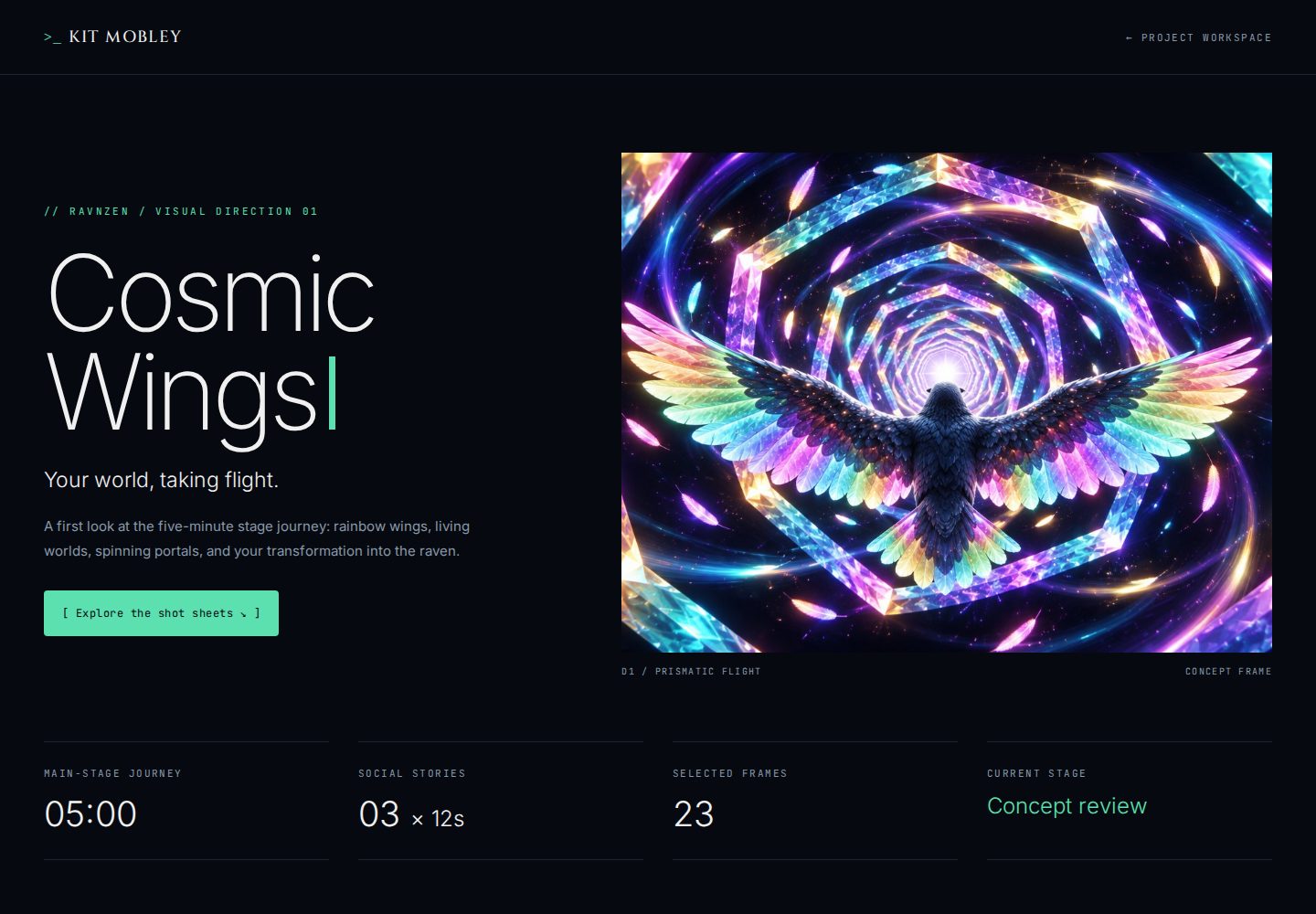
The RavnZen preview in my client portal: a five-minute main-stage journey, three social stories, 23 selected frames, currently in concept review.
The portal is another tool I built so the creative work has somewhere to live besides a pile of email attachments.
Why this matters if you run a business
You probably aren’t building a DAW. But the same rule applies to anything you want AI to do for you.
If you ask AI for the finished thing, like “write my website,” “fix my SEO,” or “make my ad,” you get a result you can’t steer and can’t trust. If you ask it to build the system, meaning the monitor, the checklist, the editor or the pipeline with its checks, you get something you can open up and inspect, and it gets better every time it catches a mistake.
That’s how I work now. The AI builds the tools. Then the AI works inside the tools, with a human on the approval button and a stack of checks that don’t care how confident the model sounds.
If that’s the kind of thing you want for your business, whether it’s watching your search and AI visibility, a custom tool for a messy workflow, or visuals for a show, let’s talk.
Frequently asked questions
- What does the search monitor track?
- Google Search Console clicks and rankings, GA4 events like bookings, purchases and refunds, Google PageSpeed scores, year over year comparisons, a nightly crawl, a QA sweep of links and schema, and what ChatGPT, Claude and Gemini say when you ask them the questions a customer would ask.
- Does the AI change my website on its own?
- No. A Builder agent writes the change in a scratch copy of the repository and opens a pull request. Nothing merges until the tests pass, the preview passes a smoke test, and I approve it with a reaction in Discord. Only my reaction counts.
- Why not just ask an AI to make the music or video you want?
- Because a one-shot prompt gives you a result you can't steer. When I had the AI build a small DAW and a non-linear video editor first, I could make real decisions on a timeline and use AI inside tools I control, which got me the work I actually wanted.
- Is this a product I can buy?
- Not as a boxed product. It runs my own portfolio and my clients' sites. If you want this kind of monitoring or a custom tool built for your business, get in touch.
SHARE THIS POST